Where to get it
Benesse Shinkenzemi Benesse AI Tutor For secondary students in Japan Watch the demo
Bring Your Own Problem

Start from the question you are stuck on.

Not from a lesson someone else picked. Photograph the problem in front of you and go from there.

A textbook, a workbook, a printed exam, your own handwriting — anything on the desk works.

  • Inside StudyCast, Benesse’s free app
  • 15 subjects
  • Ages 13 and over, Japan

Photographed off the page, identified, explained.

Why it is built this way

Most study apps hand every student the same pre-made content. This one starts from yours.

It is made by Benesse, the Japanese education company behind the Shinkenzemi home-study courses.

Five minutes, end to end

Watch it work through a real problem

One question off a printed exam, taken all the way through.

  • Jump to

English narration throughout. The usage figures near the end are Benesse’s own counts, cumulative since launch, taken in June 2026 when this video was made.

6 FEATURES

What it does, in the order you meet it
Start from a photo

It explains the problem — without spoiling it

The AI reads the photo, diagrams included, and works out which topic the question belongs to.

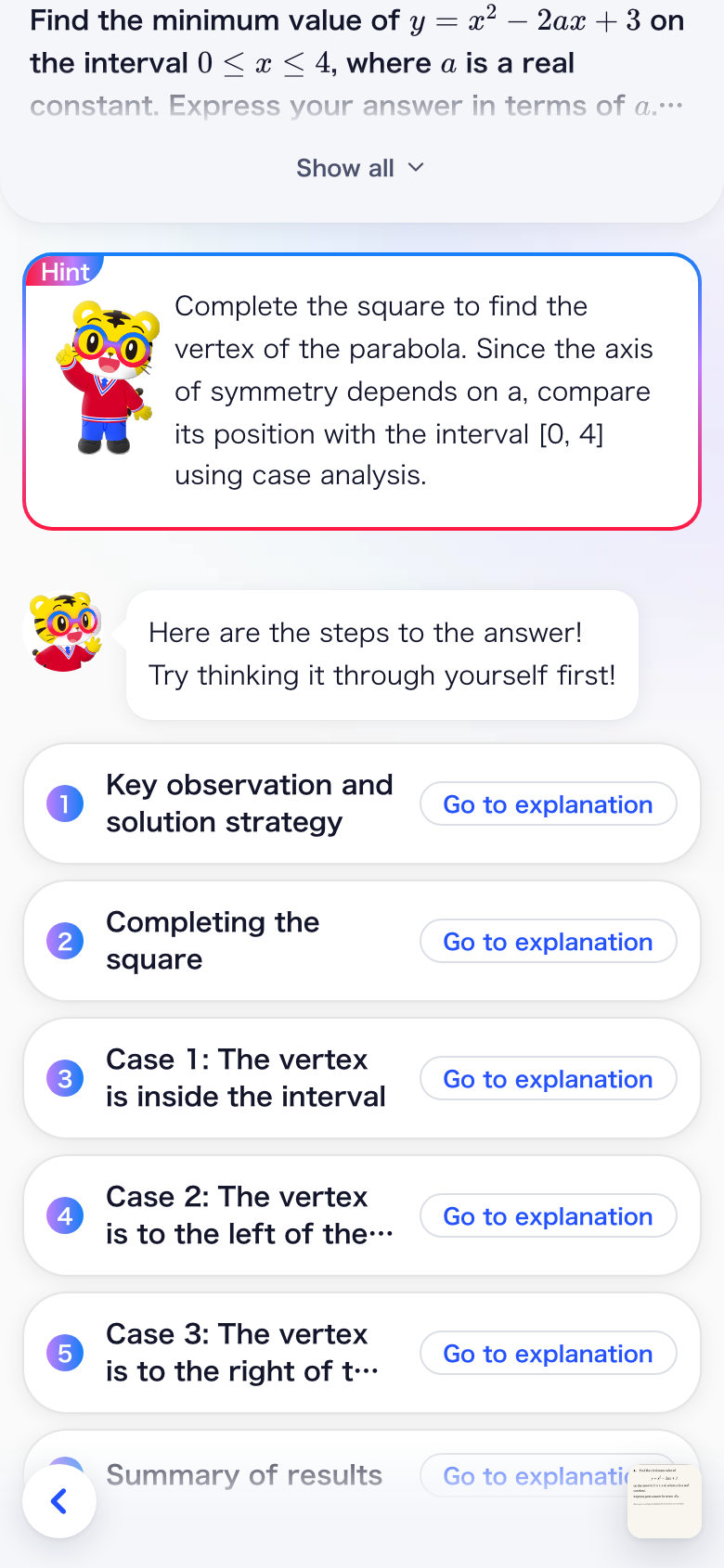
Then it does what most AI will not: it opens with a hint, then only the titles of each step. The worked solution stays closed until you tap it.

For maths it draws its own graphs and figures, step by step.

Hintfirst
A hint, followed by collapsed step titles: key observation and strategy, completing the square, three cases, and a summary.
Tap the step that lost you

Not clear yet? Ask about that exact step

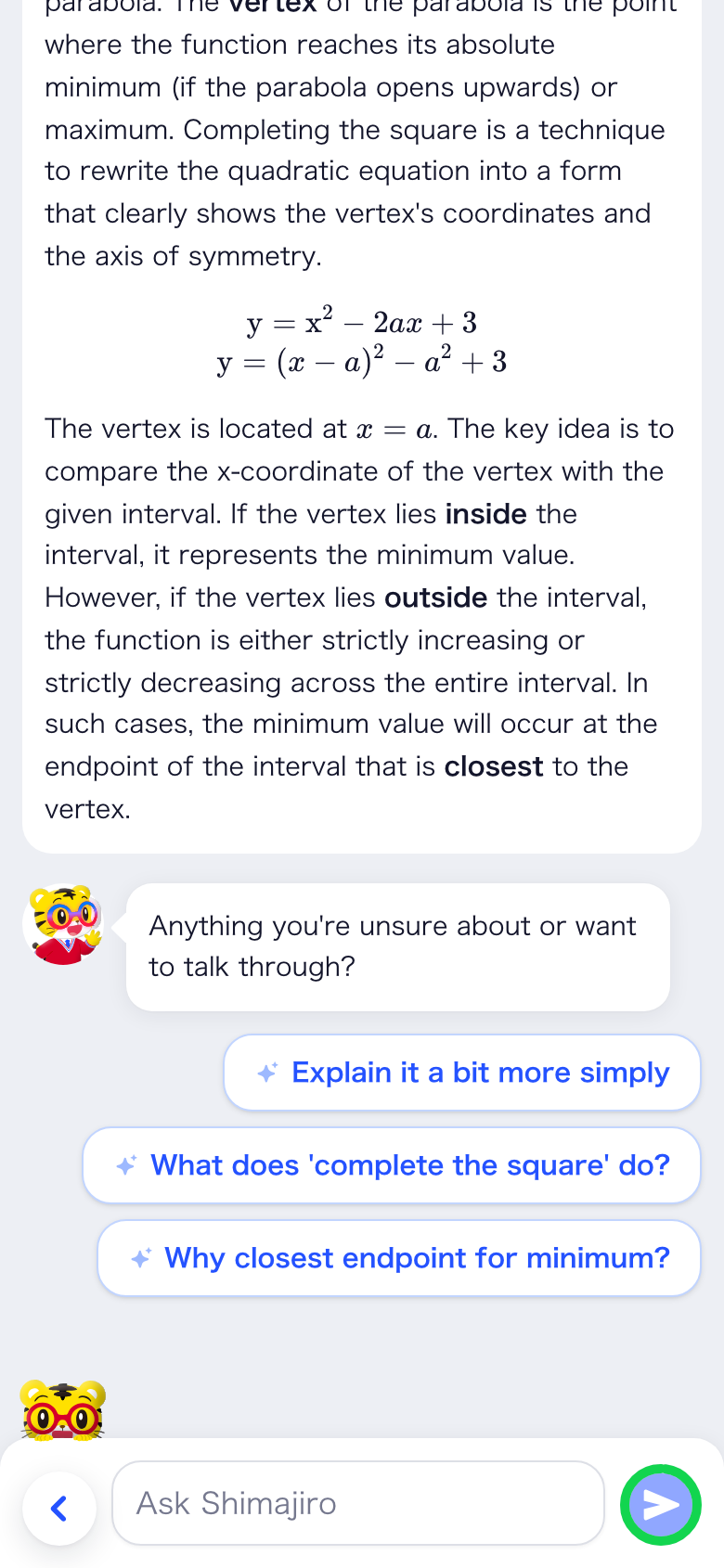
Tap any step of the explanation and the AI takes it again in more detail.

It builds on what it already showed you rather than starting over. Still unclear? Take a suggested follow-up, or ask in your own words.

A longer re-explanation, followed by suggested follow-up questions such as what does completing the square do.
Review questions included

Check it stuck, straight away

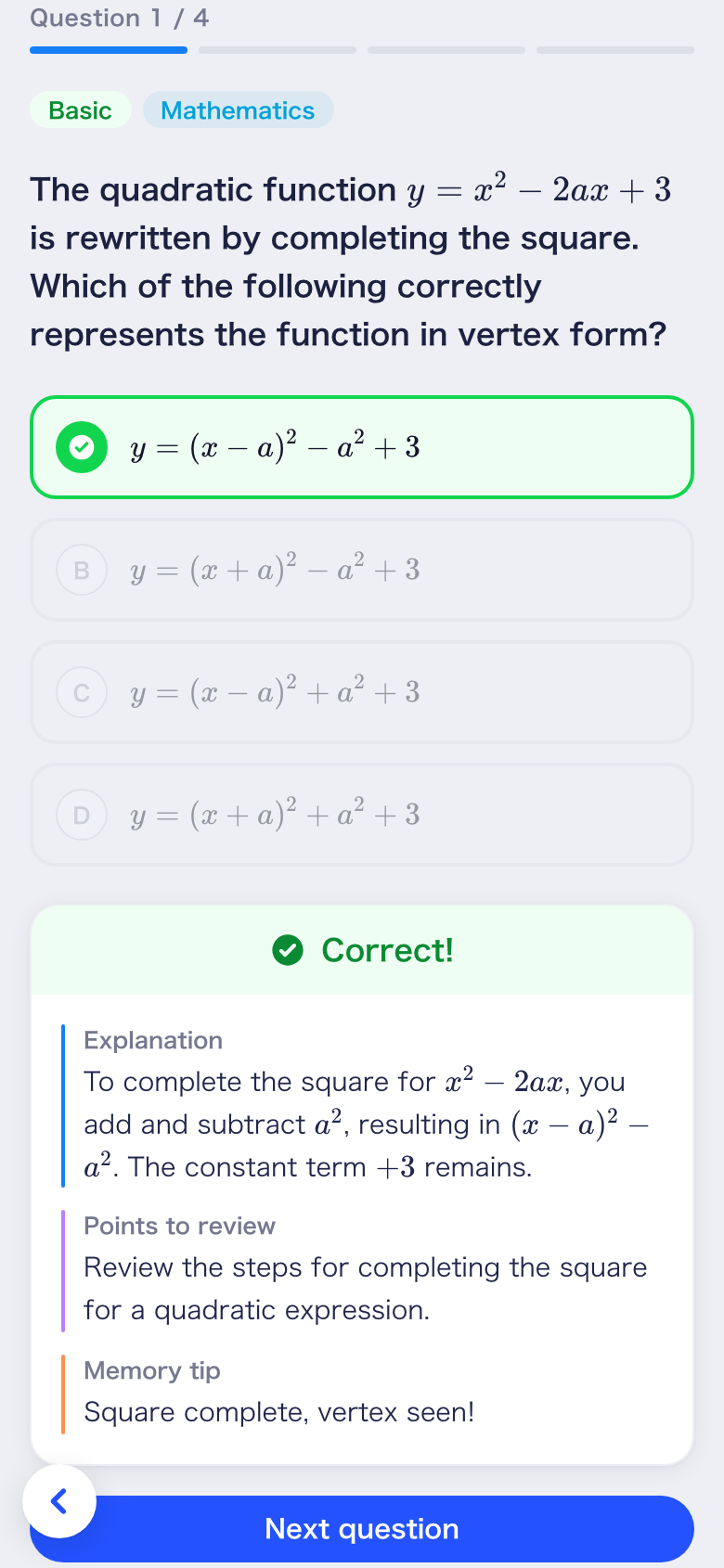
Read the explanation, then go straight into review questions on the same topic.

Multiple choice, and the explanation says why the wrong answers are wrong, not only why the right one is right.

Each one ends with the line worth remembering in an exam.

Got it
A multiple-choice review question marked correct, with an explanation, a point to review and a memory tip.
Related video lessons

Keep going with a video lesson

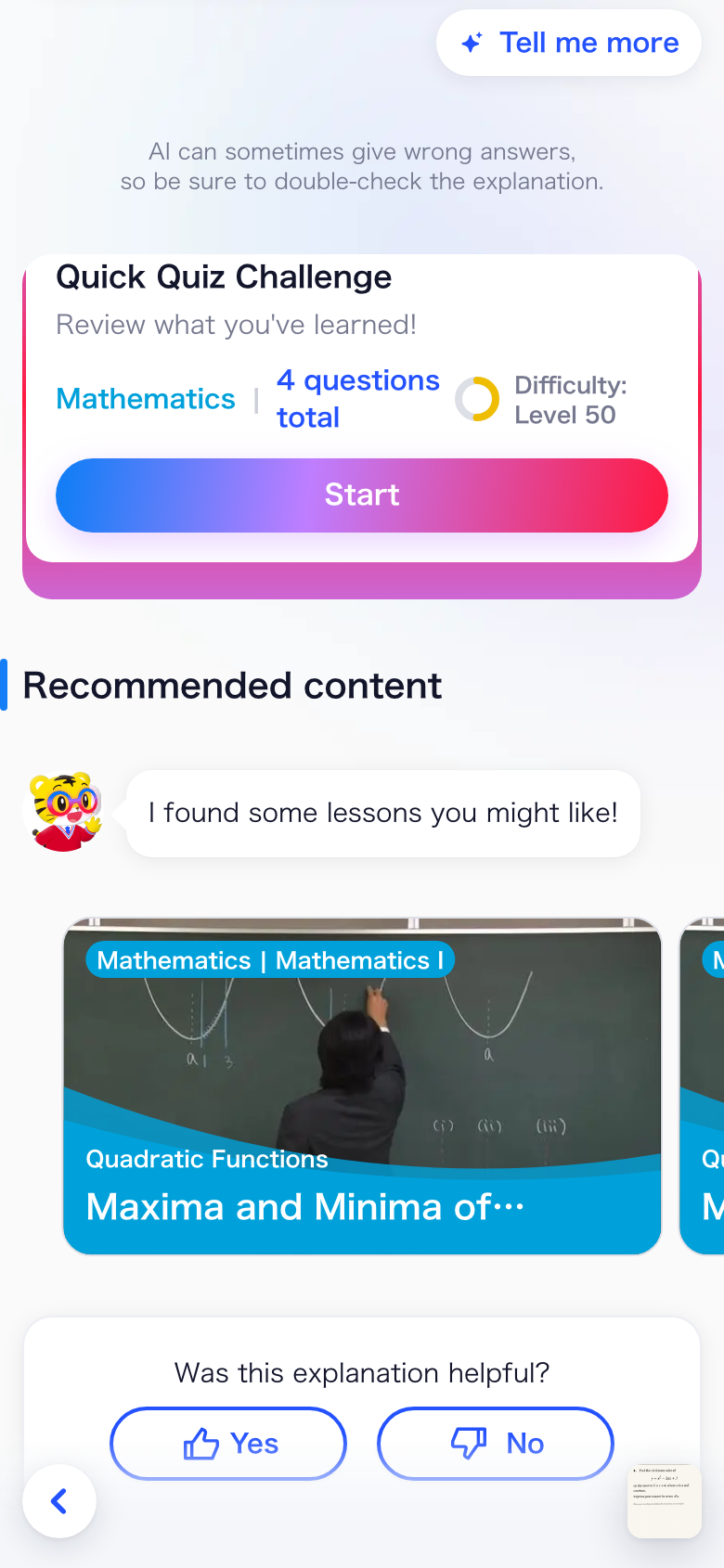
Based on what was just explained, the AI picks related Shinkenzemi video lessons.

You go deeper on the same topic instead of hunting for what to watch next.

Video lessons and review questions need a Shinkenzemi membership. Explanations, deep-dives, marking and chat work in the free StudyCast app too.

Next up
A quick quiz challenge card above recommended content, showing a related video lesson on maxima and minima.
Photograph your own working

Get your own answer marked

Reading an explanation still does not tell you whether your answer was right.

So photograph the question and your own working — add the model answer too and the marking gets sharper. The AI reads your handwriting and marks it against criteria — not just right or wrong.

Tap any highlighted part of your working to see the comment on that exact spot, then rewrite and submit again.
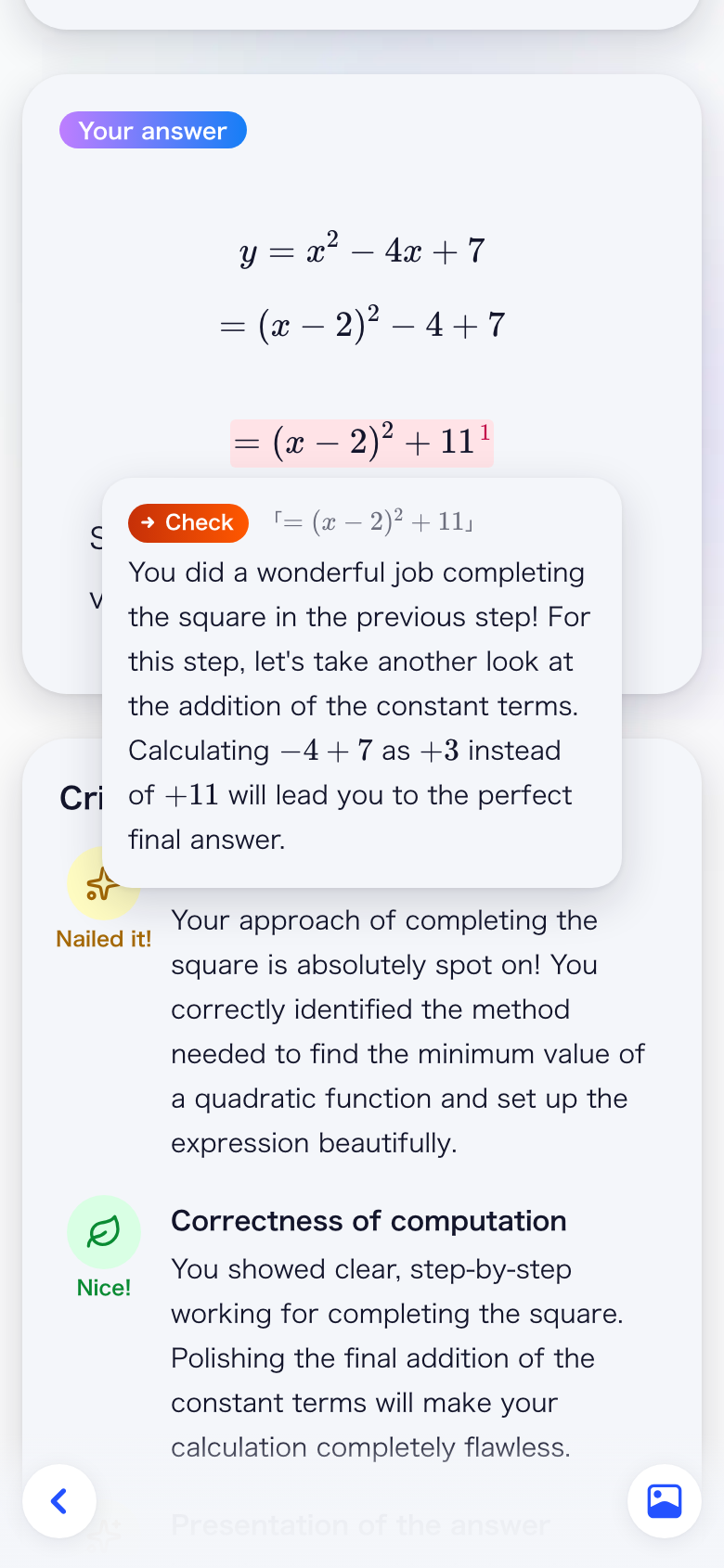
Handwritten working transcribed, with a comment opened on the slip in the last line and criteria-based evaluation underneath.

Your handwriting, read and marked against criteria.
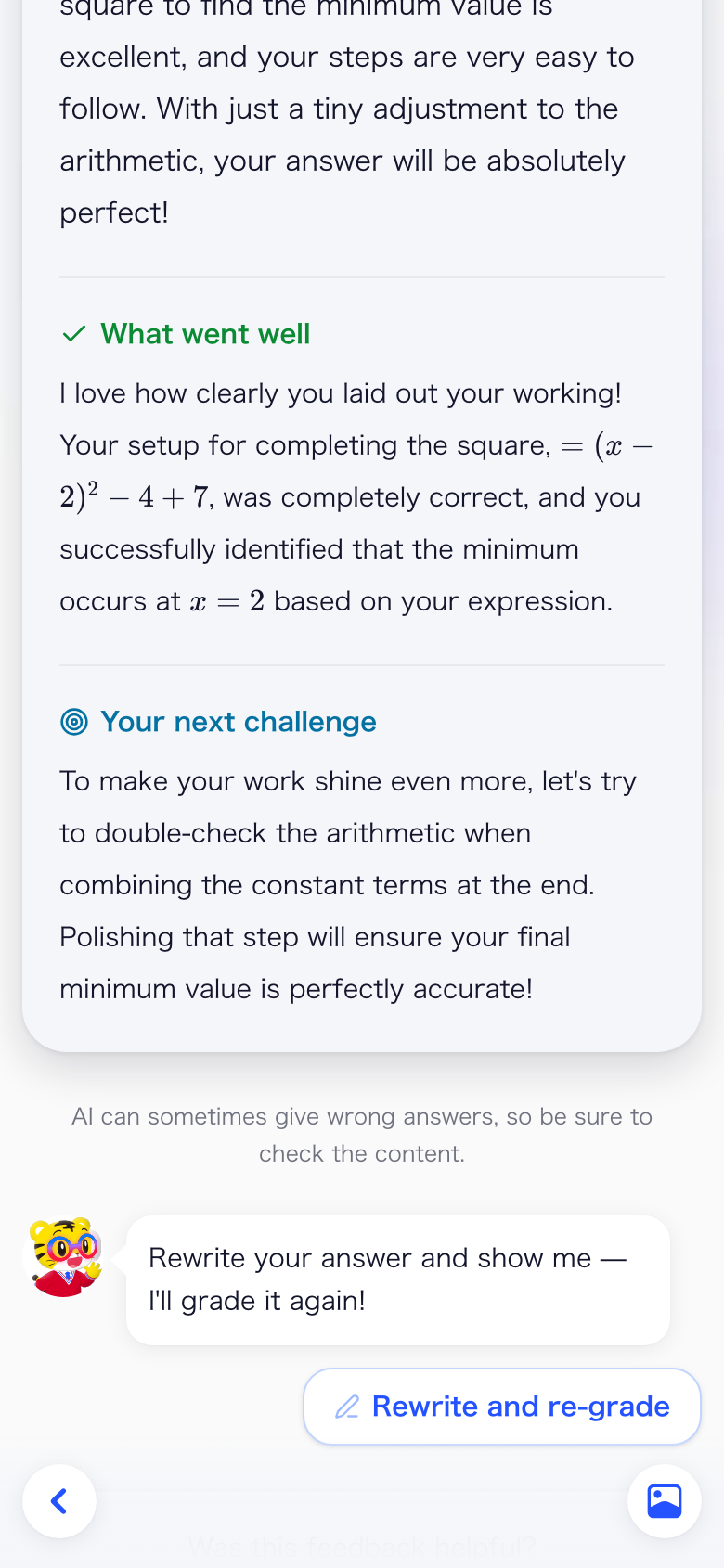
Re-mark
Feedback split into what went well and your next challenge, with a rewrite and re-grade button.

What went well, what to fix, then submit again.

Since 1969

Praise what works. Guide the student forward. Never tear down.

Benesse has taught by correspondence since 1969: a student sends in their written answers, and a tutor marks them by hand, in red pen. That way of giving feedback is what the marking here was built from.
Ask in plain words

A real back-and-forth, any time of night

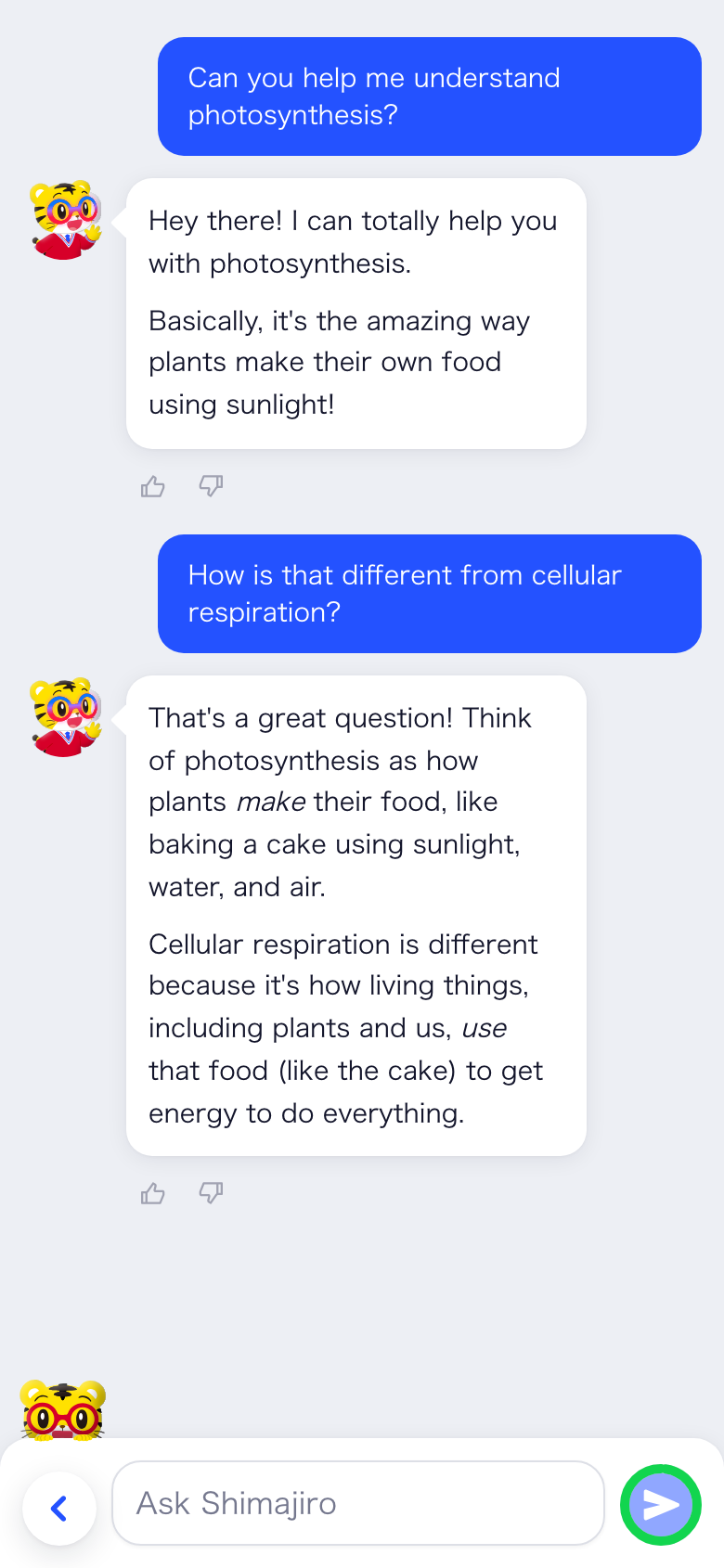
Whatever comes up while you are studying goes straight into a chat.

It remembers what you asked earlier. Not only questions out of the textbook — how to revise, how to plan a week, whether to take arts or sciences.

A chat where a student asks about photosynthesis, then asks how it differs from cellular respiration and gets a follow-up answer.
Coverage

All of it works across fifteen subjects

From maths and the sciences to classical Japanese, history and informatics — the full range for Japanese university entrance exams.

  • English
  • Mathematics
  • Modern Japanese
  • Classical Japanese
  • Chinese Classics
  • Physics
  • Chemistry
  • Biology
  • Earth Science
  • Japanese History
  • World History
  • Geography
  • Politics & Economics
  • Ethics
  • Informatics
Written for your year

A 14-year-old and a 17-year-old need different words

They stumble in different places, and the same sentence does not land for both.

So explanations are pitched at your year: symbols you have not met yet get rephrased, and harder kanji carry a small phonetic reading above them.

At a glance

Benesse AI Tutor

For
Secondary-school students in Japan, aged 13 and over
Runs in
StudyCast, Benesse’s free study app on the Japanese App Store and Google Play
Language
Japanese
Subjects
15, from maths and the sciences to classical Japanese and informatics
Input
Photograph a textbook, a workbook, a printed exam, or your own handwriting
Written for
Your school year, down to the vocabulary and the readings on harder kanji
Cost
Free in StudyCast, five explanations or marked answers a month; Shinkenzemi members get far more, plus video lessons and review questions